Mammoth

The graphics that make it yours.

Every guest photo we deliver carries an overlay designed to the event.

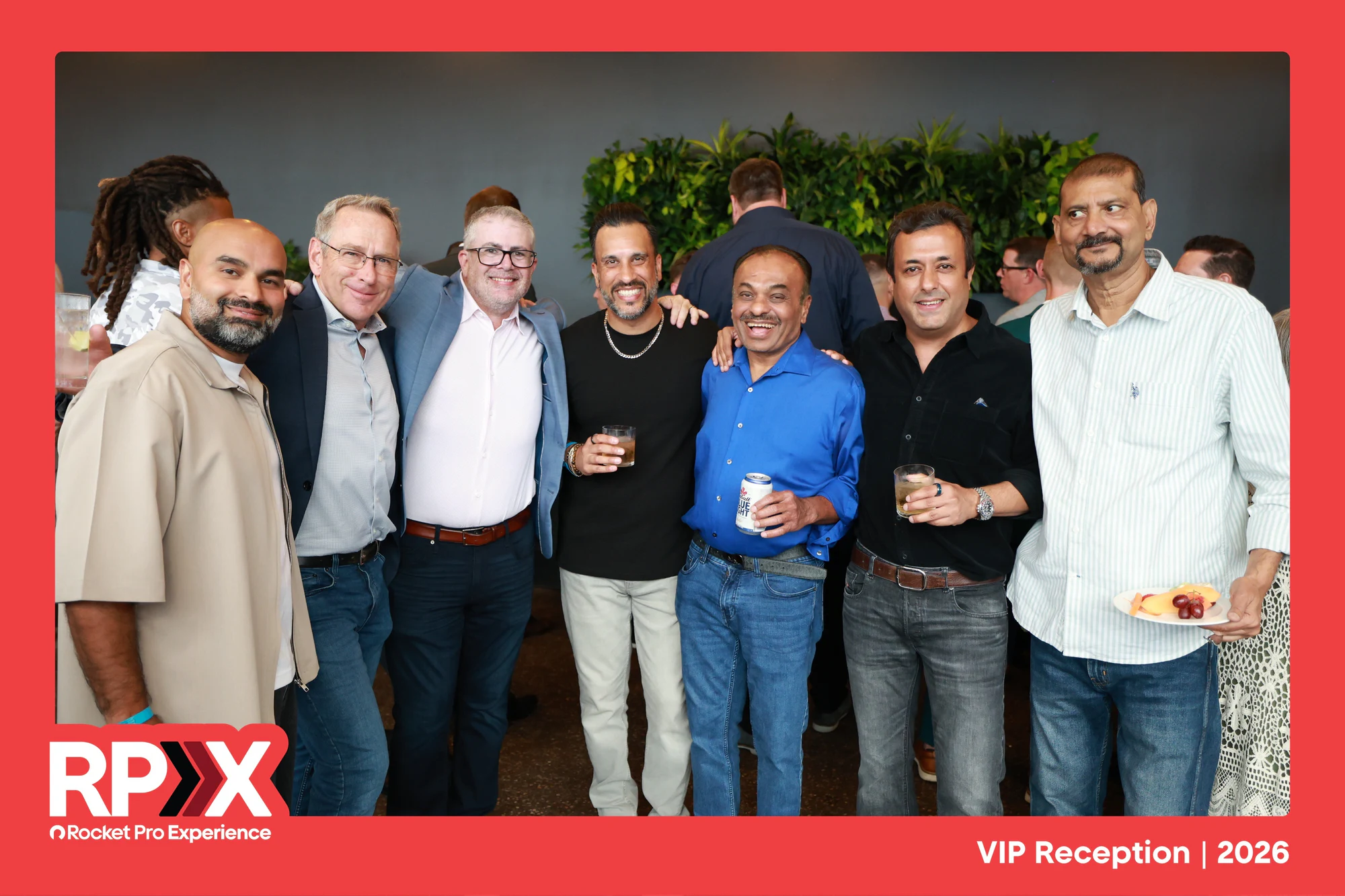
A group on the terrace inside the red RPX frame, the Rocket Pro lockup along the bottom
Rocket Pro Experience 2026

Brand overlay

Your lockup, your colors, a hashtag if you want one. Every guest photo carries the brand when it gets posted.

You send

  • Logo as SVG or original artwork
  • Brand guide or the fonts and hex codes
  • The hashtag, if any

We do

Design the overlay to your guidelines, send a proof, and load it on the booth before doors.
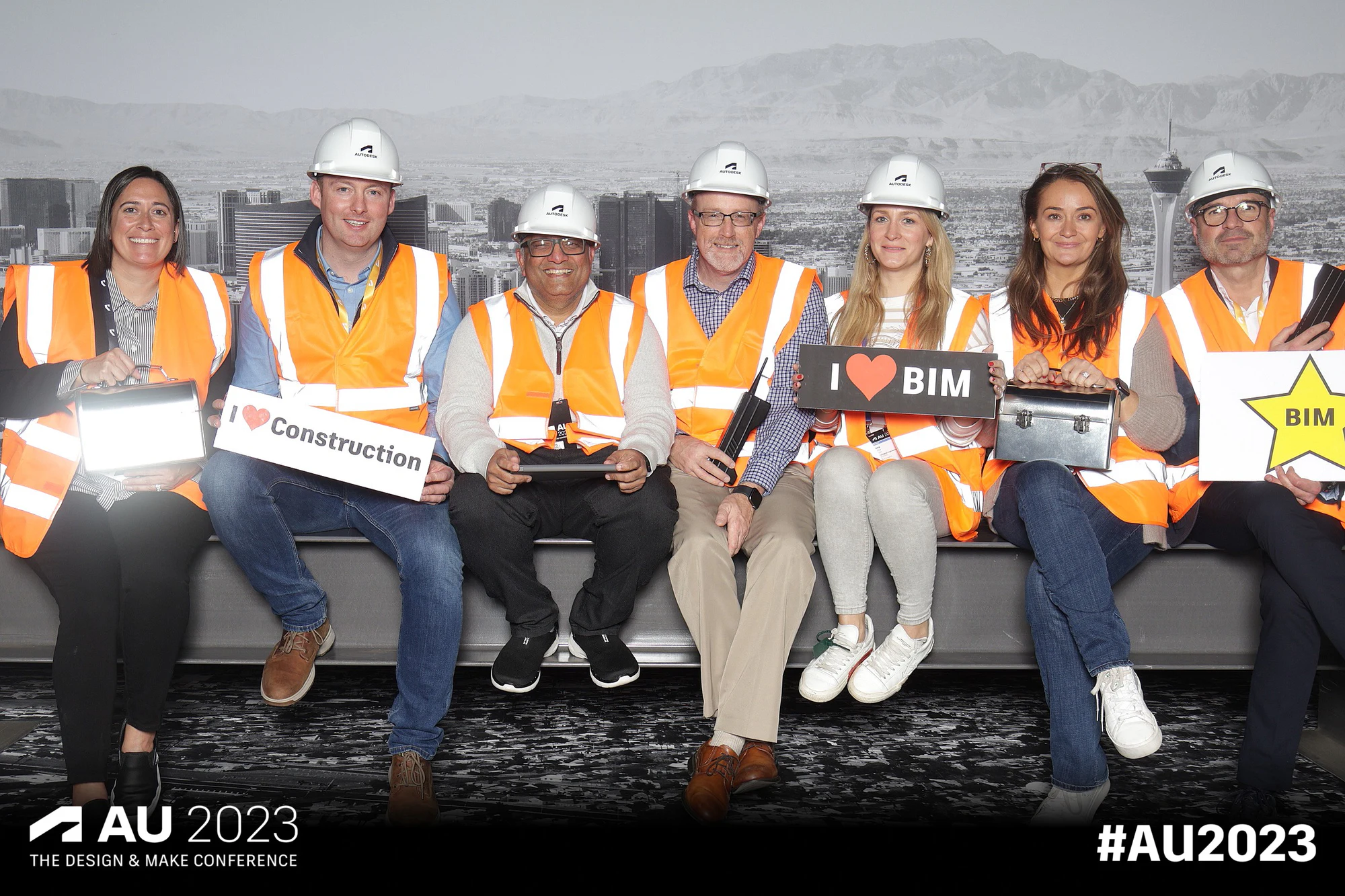
Six on the girder in hard hats, the AU 2023 conference lockup and hashtag across the bottom of the frame
Autodesk University 2023

Event overlay

The event name, the date, the sponsor lockup. The version most conferences, galas and company parties run.

You send

  • Event name and date
  • Sponsor logos, if any
  • Any theme or key art

We do

Design it to the key art, proof it, and match the scene to it.

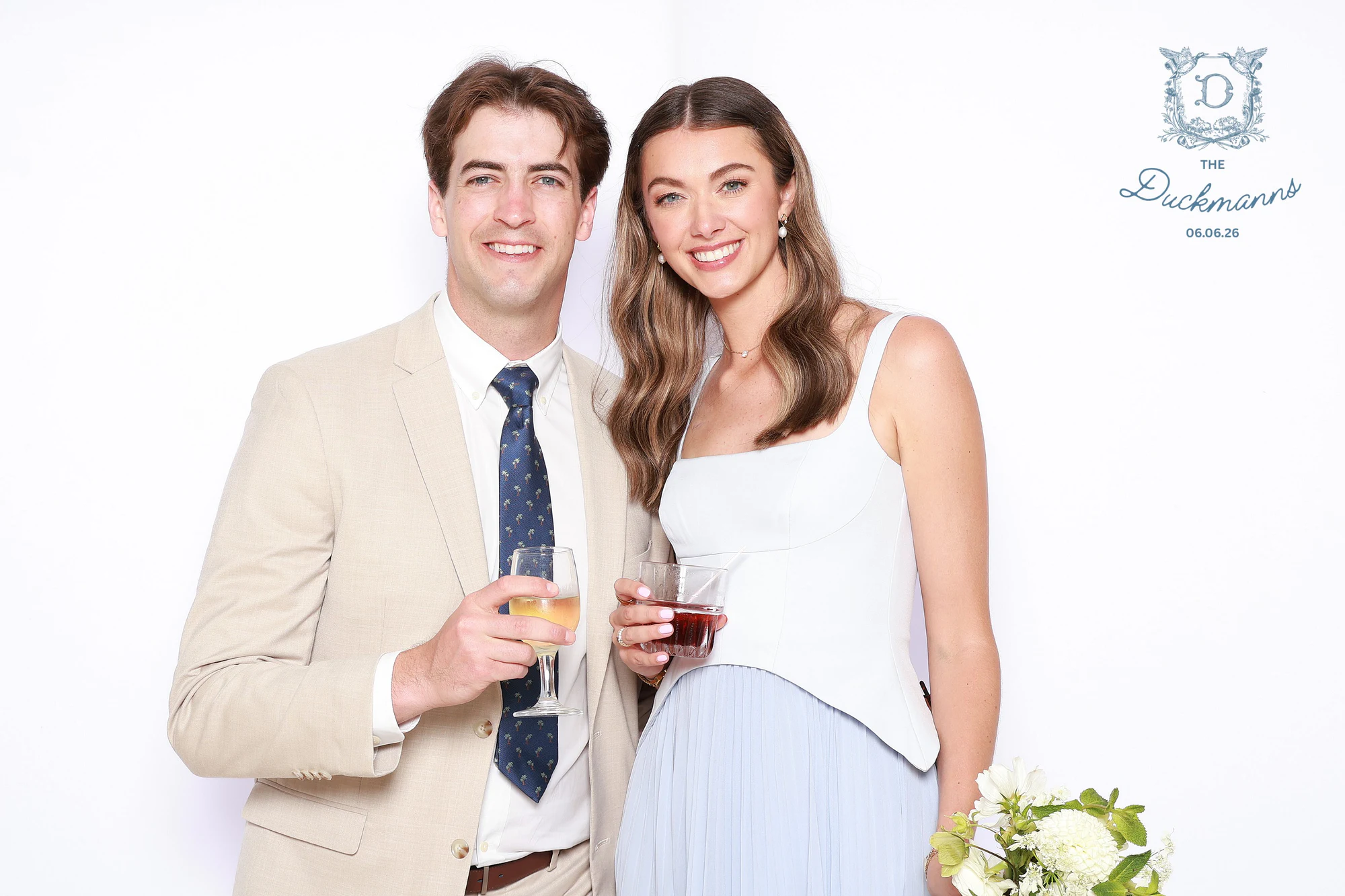
A couple holding drinks in front of a white backdrop, their crest monogram and wedding date set into the top right of the frame
Melissa + Crosley at Bahle Farms Golf Course

Wedding monogram

Names and date, in a template we’ve already designed. Pick the style and we set the names. Done. No guessing which font you’d want.

You send

  • Both names, spelled the way you want them
  • The date
  • Which template you picked

We do

Set your names and date in the template, send a proof, load it on the booth.

Print layout

When guests take a print home, a 4×6 or an 8×12, it carries the same overlay as the digital photo.

You send

  • Nothing extra. We adapt the overlay you already approved.

We do

Check the overlay sits inside the print safe area and test it on the printer before the event.

Graphic specs

Every size, every op.

Designing in-house or handing this to an agency? These are the frames we shoot and deliver in. Send event-ready artwork at these sizes and skip the design line on the rate card. We still proof it on a real photo before the event.

3000 × 2000 · 3:2

Dashed oval: where faces land. Solid bar: where the overlay lives.

Photo overlays

The Portrait Booth, the Portrait Studio and roaming photos all deliver a 3:2 photo. The overlay is a transparent PNG at the same size, laid on top.

Landscape
3000 × 20003:2
The default for booths and roaming. Most events run this one.
Portrait
2000 × 30002:3
For a vertical build: headshots, a tall backdrop, phone-first delivery.
  • Keep the middle open. Faces land in the center third, so graphics live in the corners or along the bottom edge.
  • Send the overlay as a high-resolution PNG with a transparent background, no white box behind the logo.
  • Every session takes three photos, and the guest gets all three plus a GIF. The overlay sits on each one.
  • A logo alone is fine. We can build the overlay around it if you send the brand guide.

Print layouts

Prints use the same high-resolution overlay as the digital photo, so there is no second file to make.

4 × 6
3000 × 20003:2
The standard print. Handed to guests at the booth or studio.
8 × 12
3000 × 20003:2
The big one for galas, portrait nights and framed keepsakes.
  • Keep names, dates and logos inside the safe area, an eighth of an inch in from every edge (about 65 px on the 3000 × 2000 file). Printers trim.
  • Text smaller than 10 pt on a 4 × 6 gets hard to read. Names and dates want room.
  • Prints are an add-on by the hour.
  • An 8 × 12 takes about 30 seconds to print. Matte stock is available and dries instantly.

Video and Scribble overlays

Video ops, boomerangs and the Scribble Booth deliver a short vertical clip built for phones. The overlay is a transparent PNG the size of the frame. A custom build with a different screen gets its exact size in the proof.

Portrait
1080 × 19209:16
The default, and the Scribble Booth filter size. Stories, Reels, TikTok, texts.
4:5
1080 × 13504:5
The tall feed post.
Square
1080 × 10801:1
Feed posts and LinkedIn. Ask for it if that is where the clips are going.
  • Keep the top and bottom 250 px clear on portrait. Phone apps put their own buttons and captions there.
  • Animated overlays are possible. Send a MOV with an alpha channel or a Lottie file and we test it on the build.
  • The Scribble Booth draws on top of the photo, so its overlay stays to the edges. The middle is the guest’s canvas.

What to send

Send the original artwork and we handle the rest. The proof comes back on a real photo from a past event, so you see the overlay the way a guest will.

Logo
SVG, AI or EPSvector
A PNG with a transparent background works when that is all you have.
Finished overlay
PNG, transparentsee above
At the exact frame size for the op you booked.
Fonts
OTF or TTF
Or a brand guide that names them. We license what we do not already have.
Colors
Hex codes
The brand guide covers this too.
Photos or key art
JPG or PNG
Invitations, the event deck, last year’s photo. Anything that shows the look.
  • Email everything to the person who sent your proposal, or reply to it. One thread keeps it together.
  • A week before the event is comfortable. Two days is doable. The night before is a phone call.
  • No files at all? We design the overlay from your brand’s website and send a proof.

Tell us about your event!

We’re excited to hear from you! We reply within one business day.